
Questions? support@orbitcme.com
The Orbit Discovery iOS app accelerates your medically-related browsing by automatically suggesting related diagnoses, procedures, and articles. The iOS app works with iPhone and iPad. We've included instructions for the iPhone app below; the iPad version is very similar.
Installing Orbit Discovery on your iPhone
- Sign up for any Orbit Discovery plan. Note your username/password.
- Go to the App store on your iPhone, and search "Orbit CME" or click here.
- Download the app to your iPhone.
- Login with your Orbit username/password. Your username is the full email address you used during registration.
Discover your first Ddx
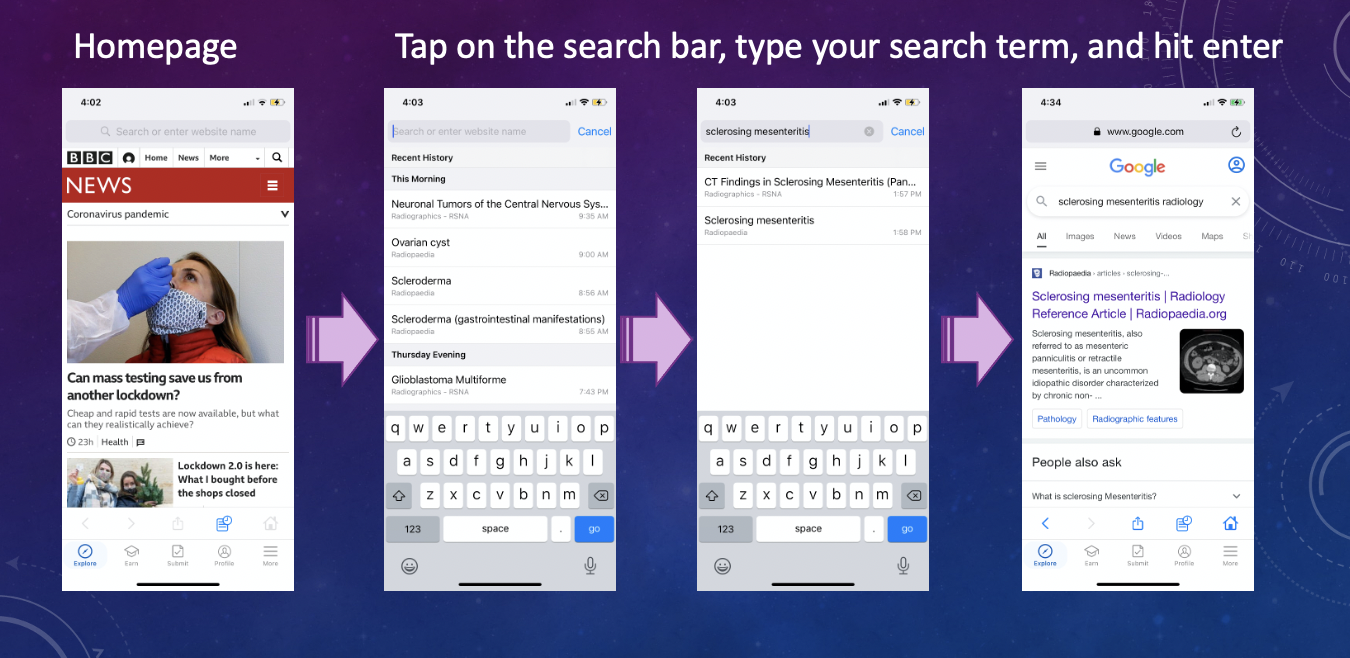
1. Perform your first search.
When you open the Orbit App, you'll see the default homepage. Click on the search bar and enter "sclerosing mesenteritis radiology". Click on any radiology-related search result.
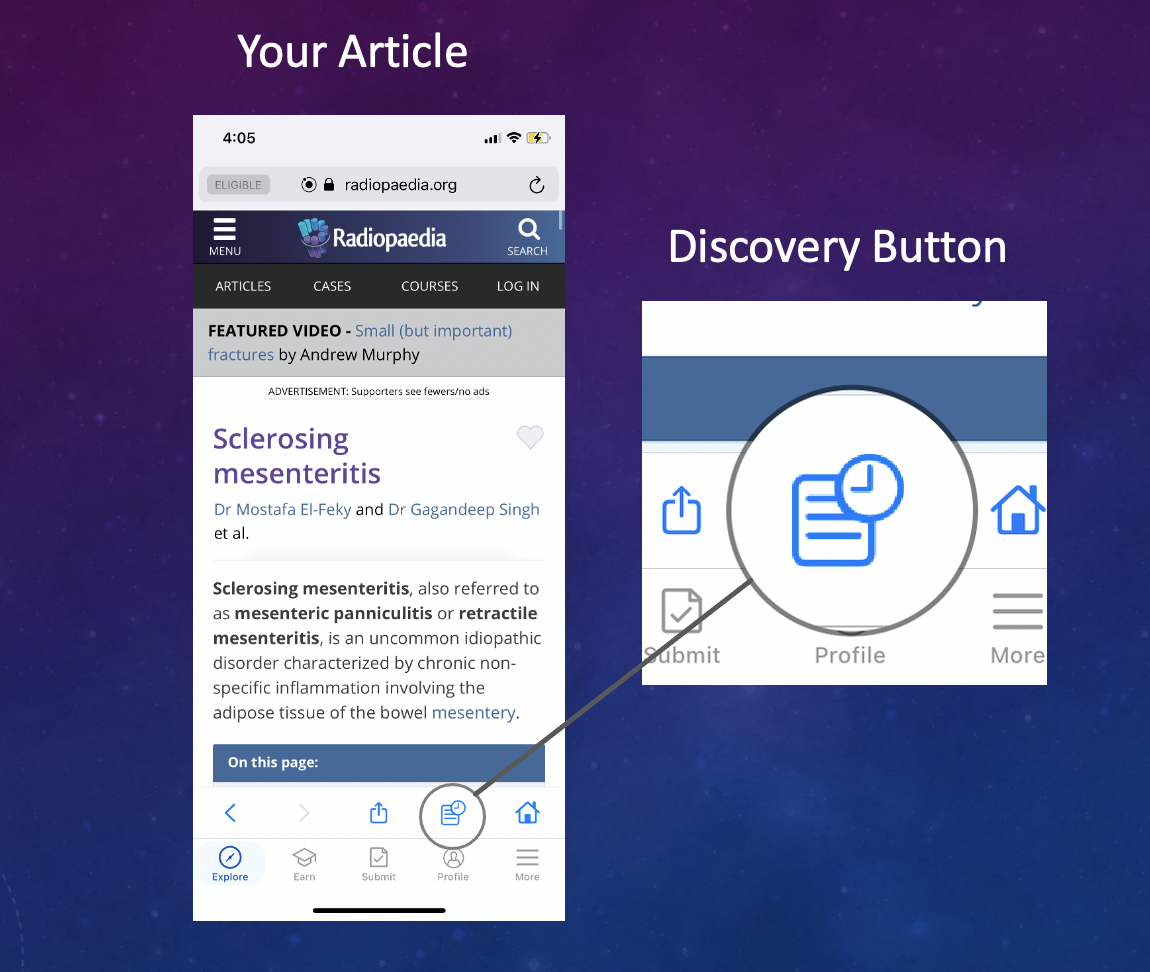
2. Review your article and click on the Discovery Bar logo ( ) for related Ddx, procedures, and articles
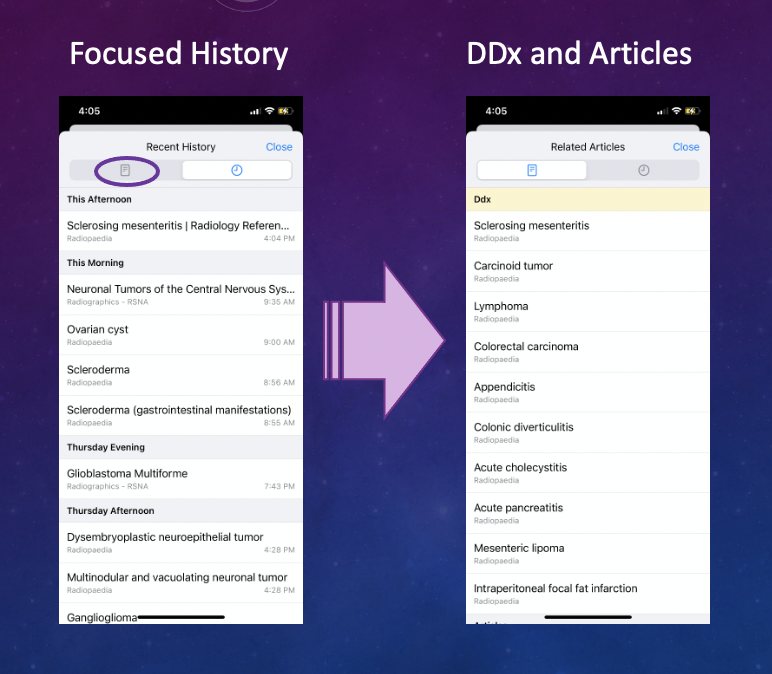
3. Toggle between your Focused History and Related Articles including Ddx and procedures.
4. Next level stuff.
Try installing the Orbit browser extension for Chrome in the reading room. You'll capture more of your reading activity in Orbit, and you'll experience Orbit's heads-up display to rapidly scan Ddx on your busiest shifts.
While you're at it, be sure to install the uBlock Origin ad blocker extension for Chrome. You'll read faster and feel less fatigue without ads cluttering your desktop browsing experience.
Comments
0 comments
Please sign in to leave a comment.