
Use the Goals view to figure out where you're falling behind versus your classmates, and where your strengths are.
Filters
Use the various filters to quickly focus your case counts.
- Goal Type (Adult/Child/ACGME) - view your case counts for adults and children separately, or just cases that contribute to ACGME goals.
- Procedure Type (All/Diagnostic/Intervention) - filter to view all, only diagnostic or only interventional case types. If you select
- Subspecialty (All/Breast/Cardiac/...) - filter by subspecialty
- Time Interval (All Time/This Academic Year/...) - view your case counts by specific intervals of time
- Modality (All/CT/Fluoro/MR/...) - restrict your view of case counts to only specific modalities
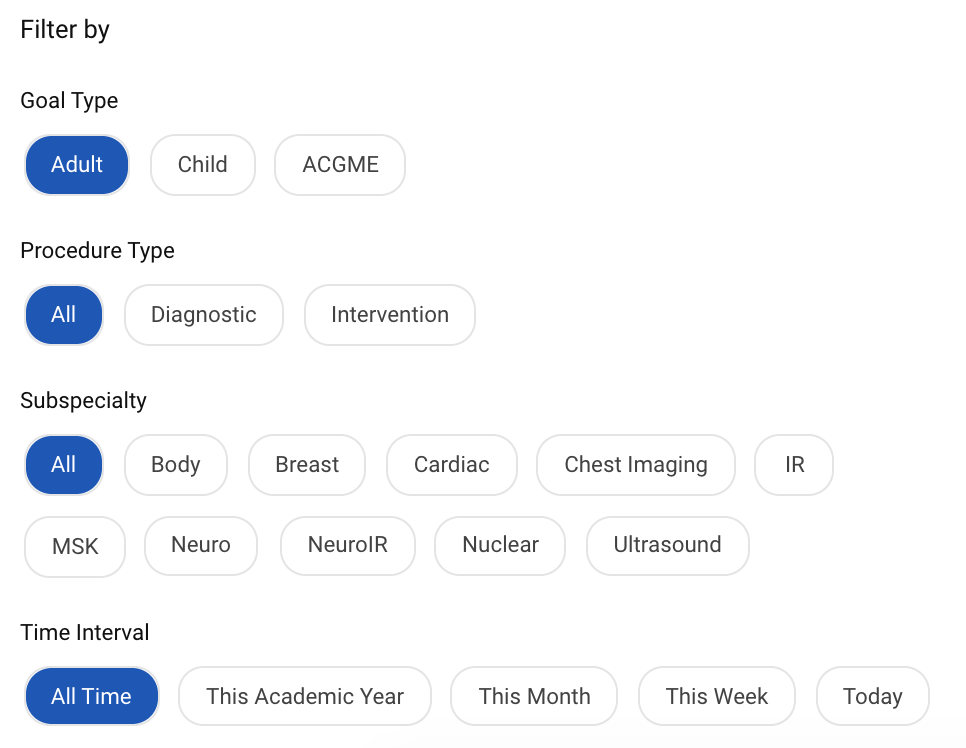
Tip: If you select multiple filters at once and you don't see any case types, unselect the filters so they're less restrictive.
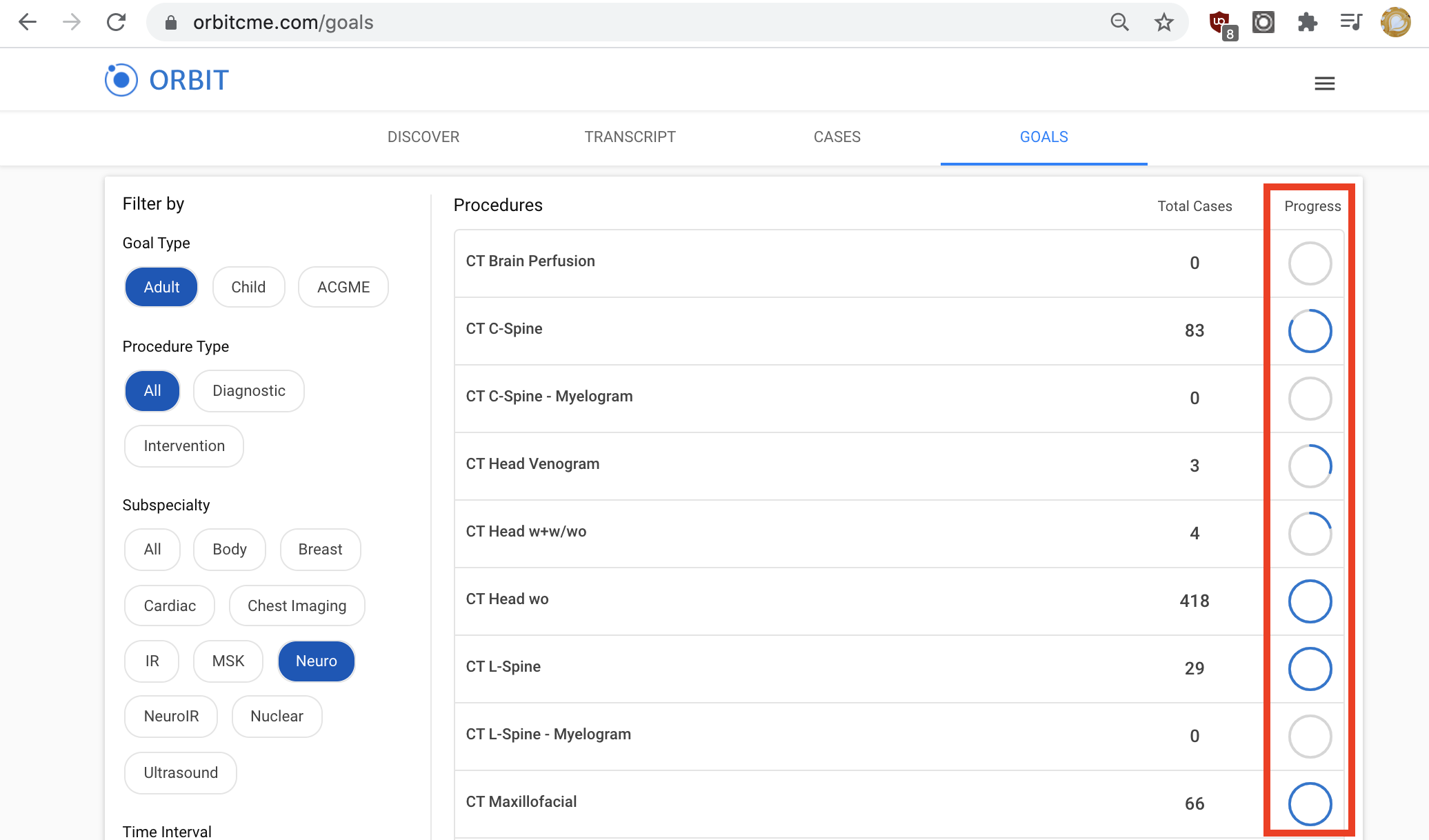
Progress Circles—10th Percentile Goals, and ACGME Goals
Progress circles indicate how much progress you've made towards your case count relative to the 10th percentile goals in your residency program, except for the ACGME case types where progress circles relate to the official ACGME goals. Look for progress circles that are not yet full to see where you're falling behind, and focus on those areas to ensure minimum competency.
Procedure Detail View
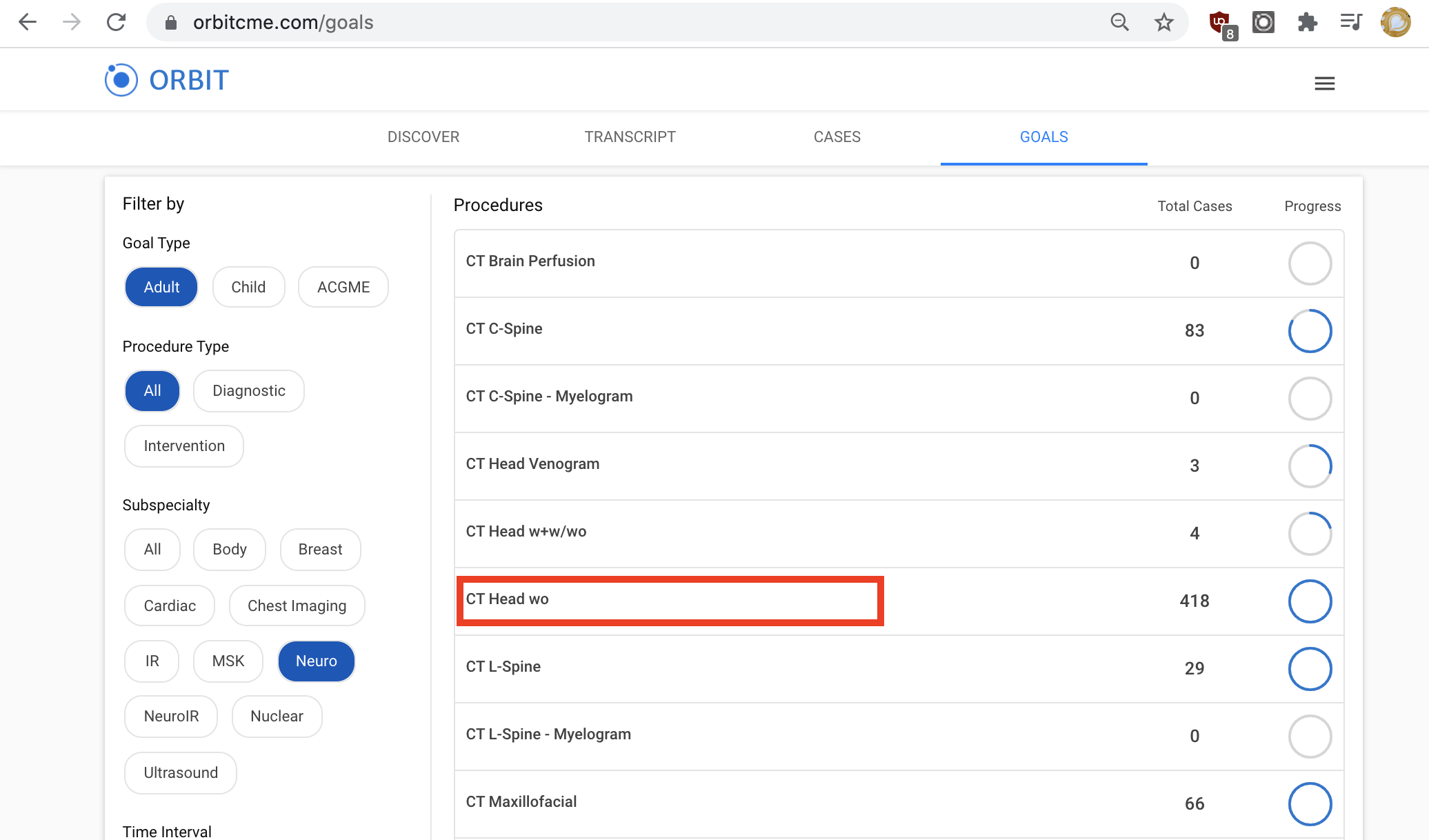
Click anywhere on a procedure to access the procedure detail view.
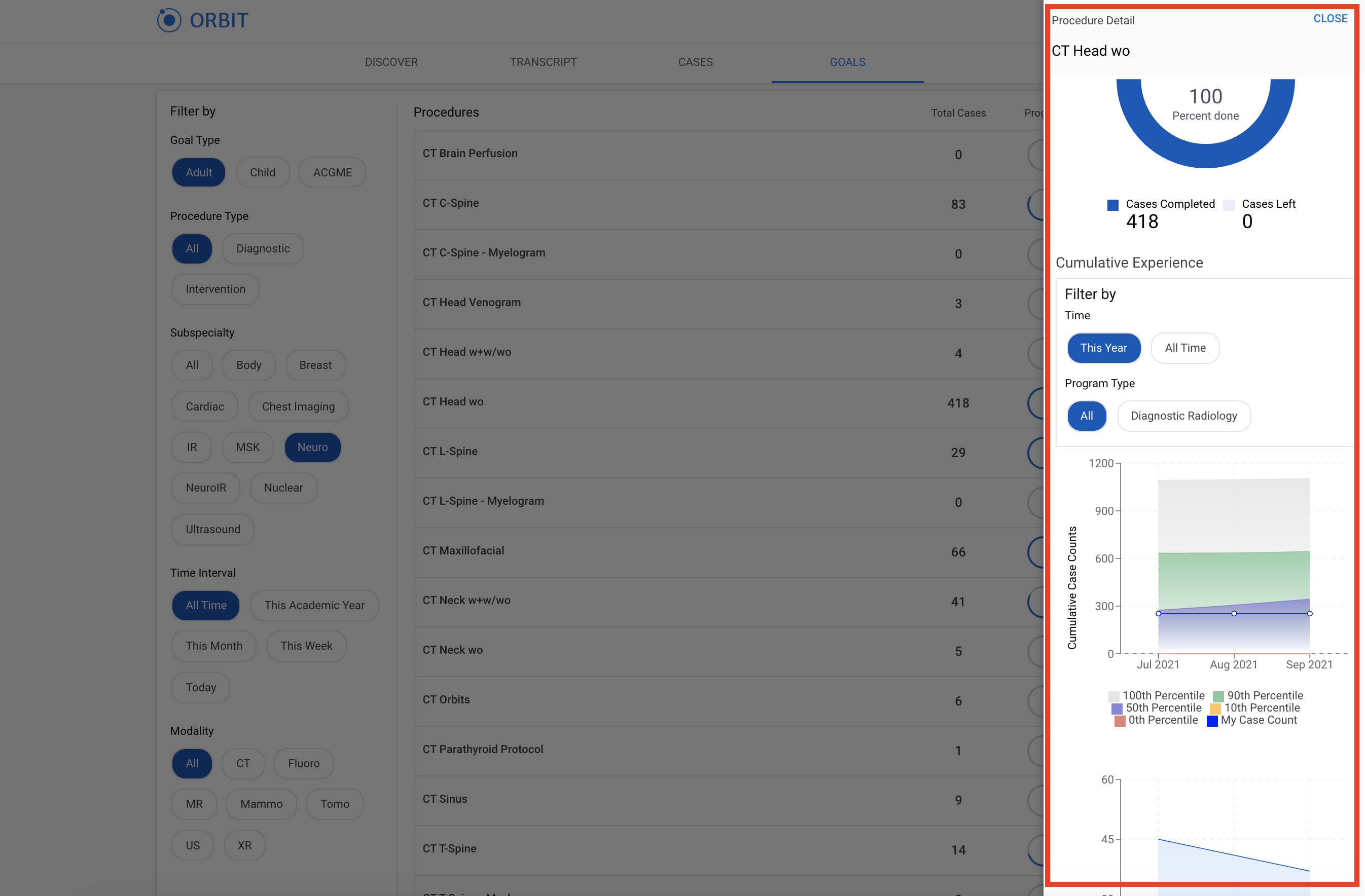
The procedure detail view gives you an in-depth view of your progress versus other residents in your residency program, including alumni and current resident data.
Comments
0 comments
Article is closed for comments.